
LILT Workflows: Designing Configurable Translation Processes
Role
Principal Designer
Responsibilities
- User Research & Discovery
- Workflow Architecture & Design
- Cross-functional Collaboration
- Enterprise Feature Implementation
Collaborated with
TL;DR
Enterprise clients needed more than LILT's simple translate-and-review workflow. After researching complex workflow builders used by competitors, we discovered that 80%+ of users actually needed just a few predefined workflows. I led the design of smart workflow templates that included Translate, Review, AI Review, and offline Preprocessing/Postprocessing steps, delivering enterprise capability without overwhelming complexity.

Challenge & Solution
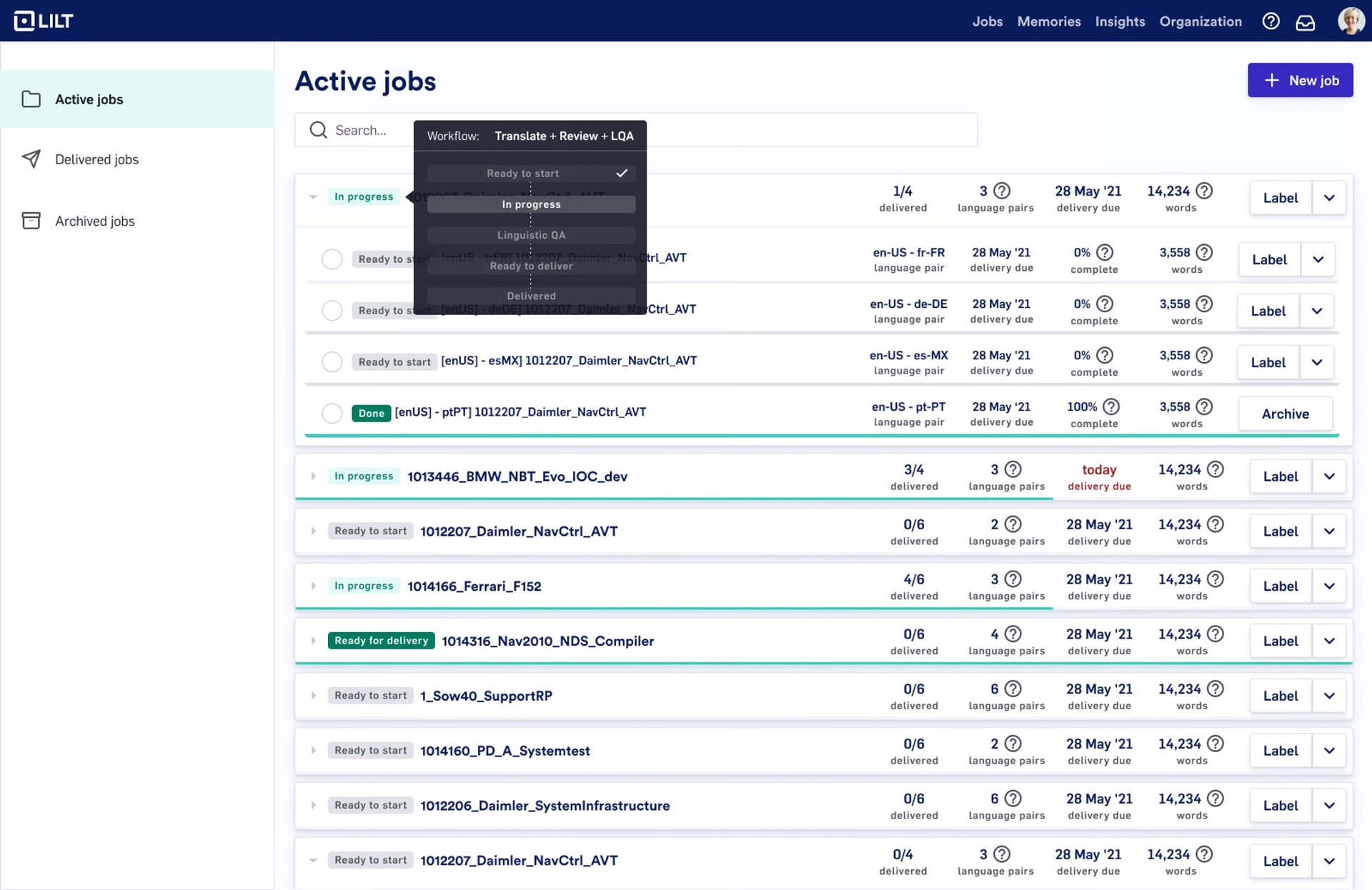
LILT's simple "Translate → Review → Done" worked for most customers, but enterprises needed AI quality checks, file preprocessing, and additional review stages. Challenge: Add complexity without breaking simplicity.
Key insight: Competitor workflow builders were overly complex—predefined templates could serve 80%+ of enterprise needs while maintaining ease of use.
- Approach: Smart template system with Translate, Review, AI Review, and file processing steps
- Impact: 75% reduction in setup time, improved enterprise satisfaction, enabled new market segments
- Process: Cross-role research → competitive analysis → template architecture → customer validation
Design Process & Key Decisions
Research & Pattern Discovery
25+ interviews revealed predictable workflow patterns. Most complexity came from specific steps (AI review, file processing), not endless customization. Competitive analysis showed overwhelming workflow builders that confused 80%+ of users.
Template Architecture
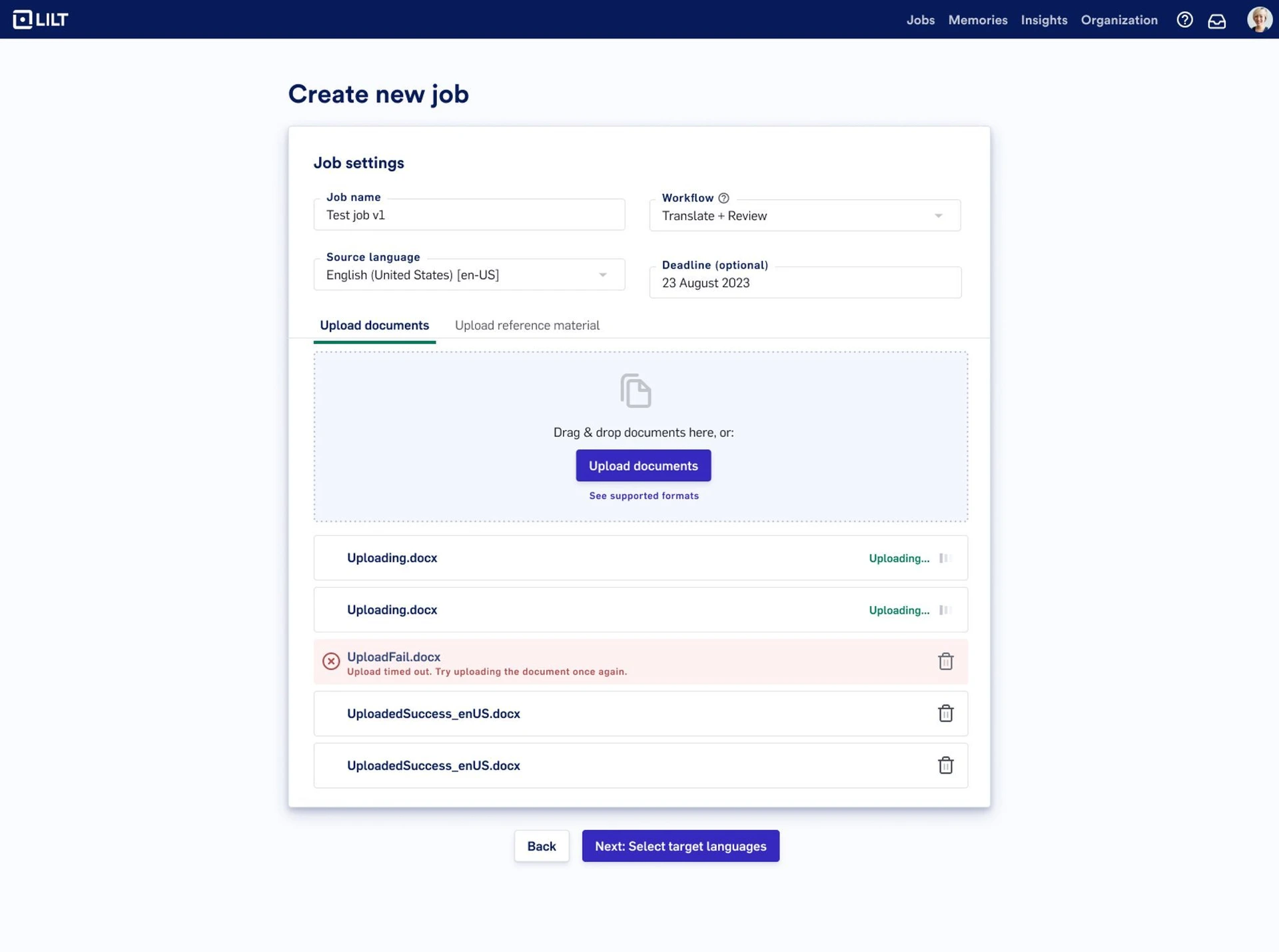
Created 4-5 predefined workflows covering 80%+ of use cases: Simple Translation, Translation + Review, Translation + AI Review + Human Review. Added file processing for complex formats.
AI Integration
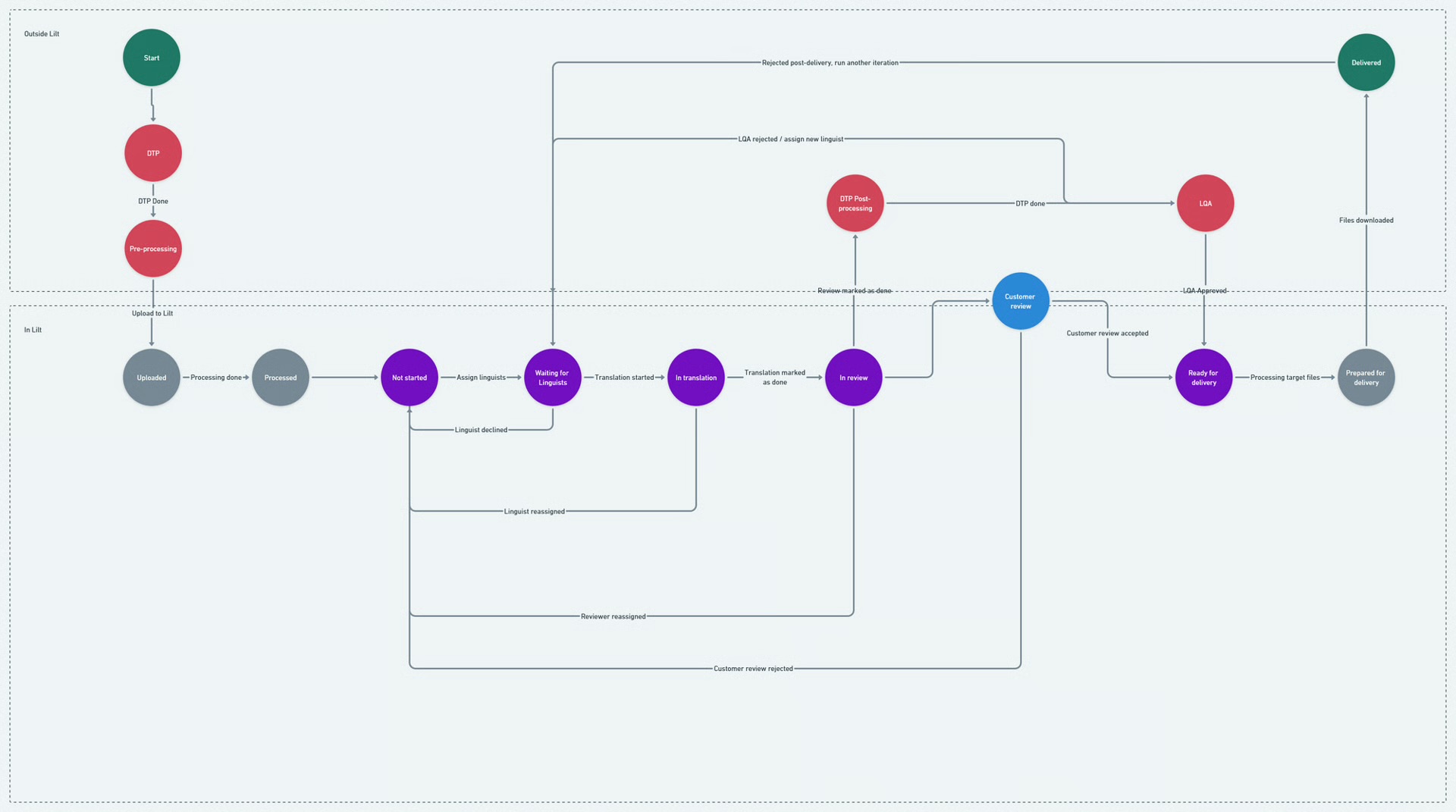
Designed AI Review steps with seamless handoffs between automated and human stages. Enabled hybrid workflows combining AI preprocessing, human translation, AI review, and final approval.
Enterprise Validation
Template workshops with key customers validated the approach. Ensured compliance requirements and audit trails for regulated industries.
Results & User Feedback
- Template-first success: Eliminated decision paralysis, served 80%+ of users without customization
- AI positioning: Adding AI review positioned LILT ahead in quality assurance
- Enterprise unlock: Complex file format support through templates enabled major deals
Challenge: Some edge cases still needed more customization than templates provided, requiring careful balance between simplicity and flexibility.
Key Learnings
Templates beat builders
Predefined templates covering 80%+ of use cases provide better UX than endless customization options.
Competitive analysis shows what not to build
Competitor workflow builders proved that complexity doesn't equal value for user experience.
AI needs thoughtful UX
Adding AI as a workflow step requires careful design to maintain user trust and efficiency.
Customer validation prevents over-engineering
Direct workshops revealed simple templates solved enterprise needs better than complex systems.
Core insight: Enterprise features succeed when they feel powerful but not overwhelming—smart defaults often serve users better than endless options.